The reading.
And its direction.
Latest available glucose, trend arrows, and freshness for each shared person.
CARETAKER MODE / AVAILABLE NOW
A shared glucose view for school nurses, caregivers, and trusted adults. The family chooses who sees what, and for how long.
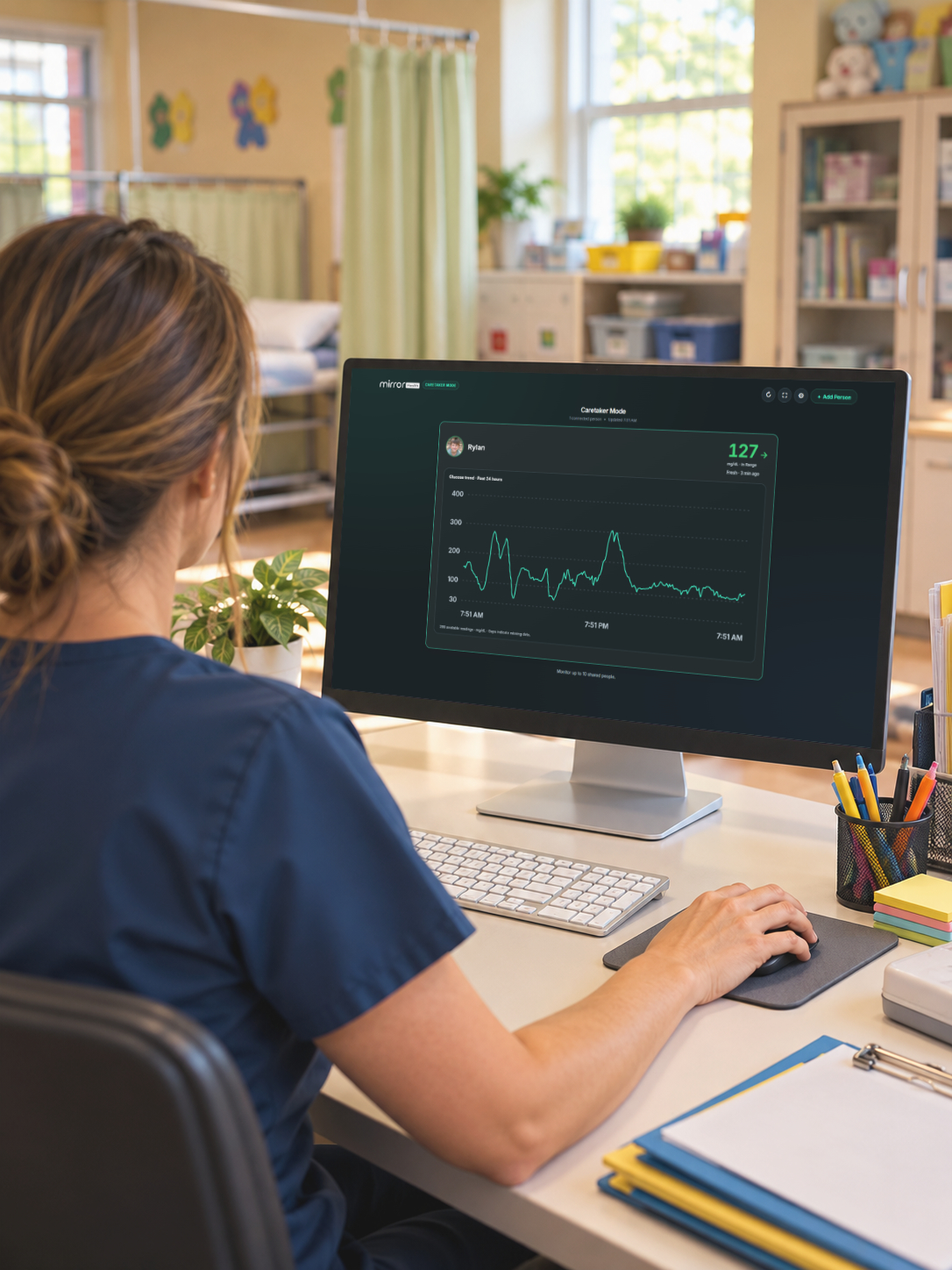
WHERE CARE HAPPENS
From the nurse’s office to an afternoon with grandparents, important information stays within reach.
CARE THAT FITS YOUR DAY
Keep approved glucose readings together while students get on with being students.
School nurse’s office · Classrooms · Education centersTHE CARETAKER VIEW
One board brings shared readings and useful context together.
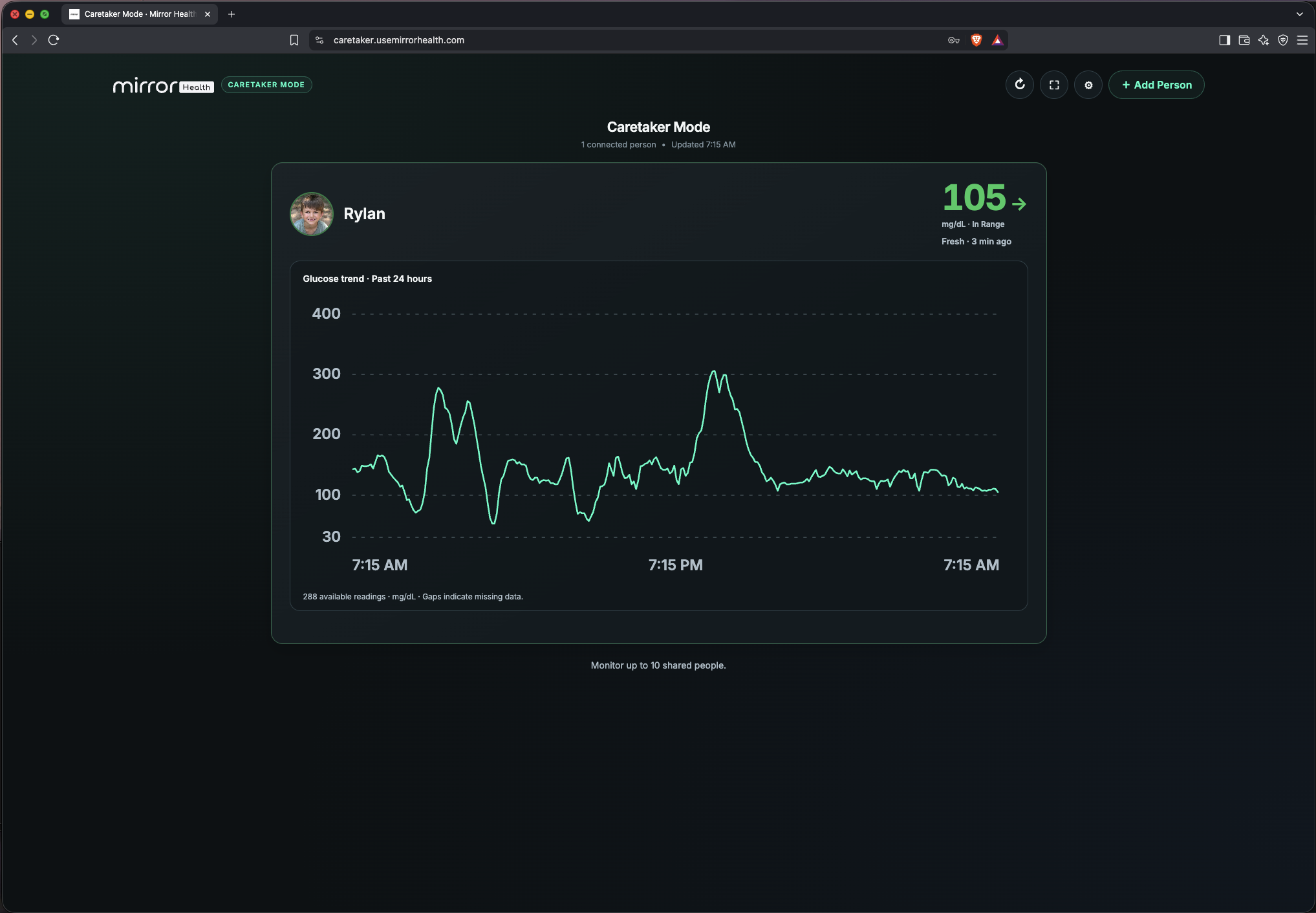
Latest available glucose, trend arrows, and freshness for each shared person.
View shared emergency contacts, allergies, location, and care notes.
Access ends at the chosen time, or sooner when the family ends sharing.
For care settings, use Mirror Health alongside your organization’s policies and each person’s care plan. It is a supplemental display, not a clinical alarm system.
THREE SIMPLE STEPS
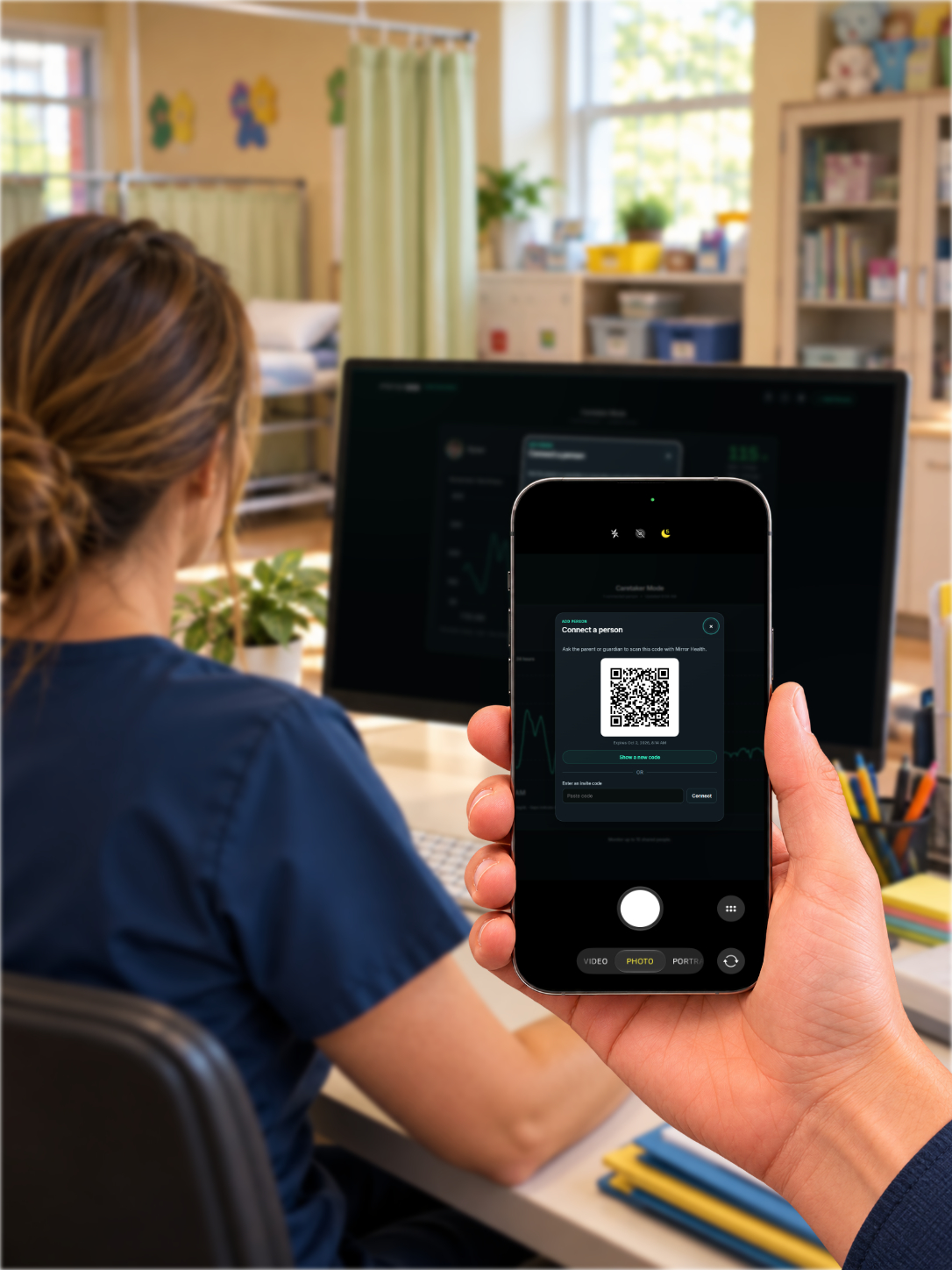
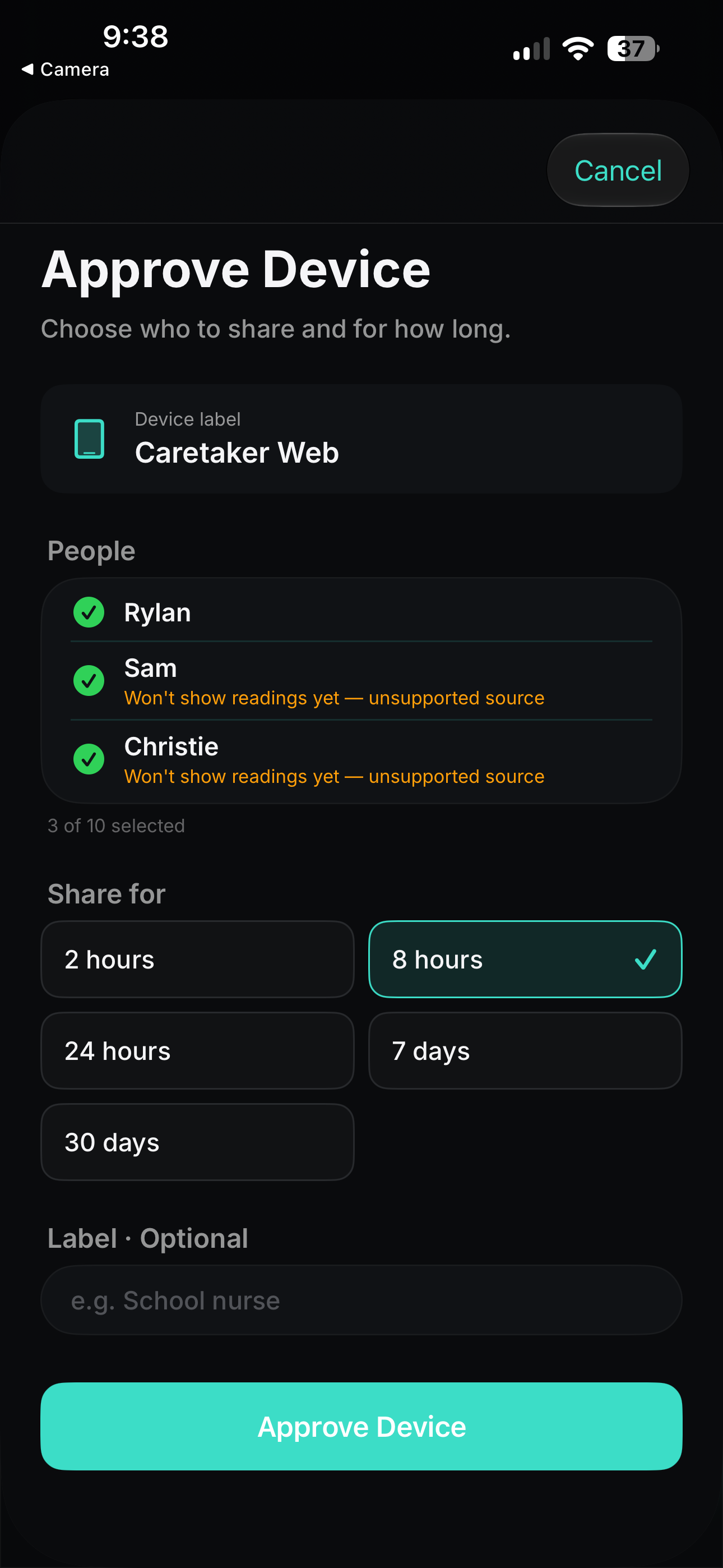
The caretaker uses their own account. The family approves sharing from the Mirror Health app.
Sign in to Caretaker Mode and select Add Person.
Scan in Mirror Health, select who to share, and set the duration.
Approved information appears until access expires or is ended.
FOR NURSES & CARE TEAMS
Tell us about your care setting. We’ll help with getting started and supported connections.
Download Mirror Health on iPhone or iPad to approve access.
Open the Caretaker Portal in your web browser.

BEFORE YOU CONNECT
Caretaker Mode supports Dexcom Share and LibreLinkUp. Setup and available readings depend on the connected source.
The family selects a duration of up to 30 days. It expires automatically and can be ended sooner from Caretaker Access in Mirror Health.
Yes. The Caretaker Portal works in a browser. Families use the Mirror Health iPhone or iPad app to approve access.
Caretaker Mode can provide a supplemental view for authorized caregivers. Review your organization’s privacy requirements and care procedures before use; the app does not replace clinical systems or individual care plans.